







Rust Makcu NoRecoil Script
Compatible with
Mandatory Requirement: MAKCU Board
To use this software, you need a compatible MAKCU board.
Makcu Rust Makcu NoRecoil Script was developed to work together with the MAKCU device. Without this board, the program cannot send the commands required for proper operation.
What is MAKCU?
MAKCU is a USB device that acts as a bridge between your peripherals and the computer. Normally, your mouse or keyboard connects directly to the PC. With MAKCU, the device sits in the middle of this communication.
This way, MAKCU can receive software commands through a serial connection and forward input to the computer as a compatible HID device.
Before Buying
This product is not a standalone program for a regular mouse. It was made for users who already have a MAKCU board or intend to buy one.
The board is responsible for communication with the computer and executing commands sent by the panel. Therefore, it is an essential part of the operation.
If you still do not know what MAKCU is, read the explanation before purchasing the product. This prevents doubts about installation, compatibility, and operation.
Don’t know what a MAKCU board is?
We created a page explaining in a simple way what MAKCU is, how it works, why it is necessary, and what role it plays when using the software.
What-is-Makcu?Main Features
Web Panel
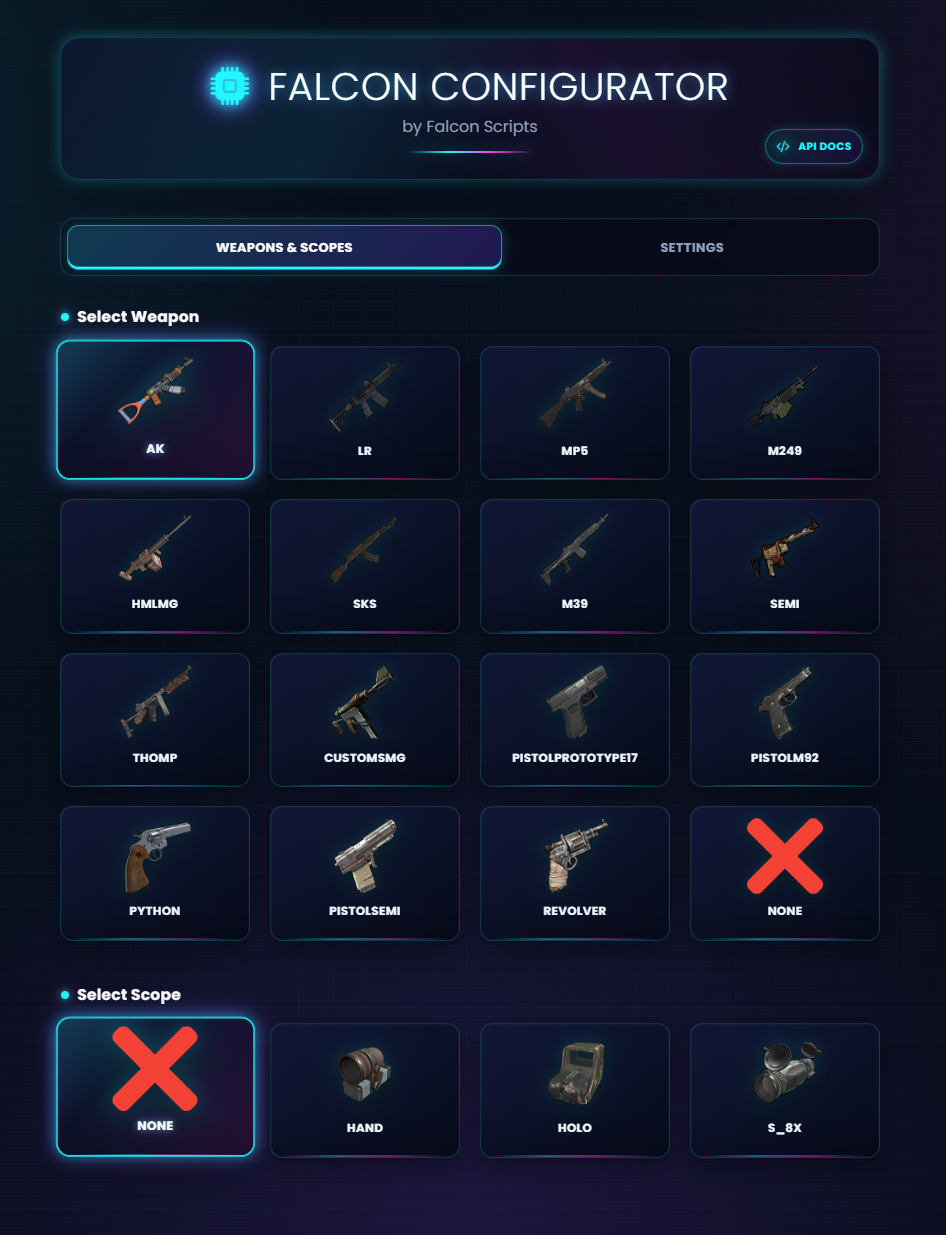
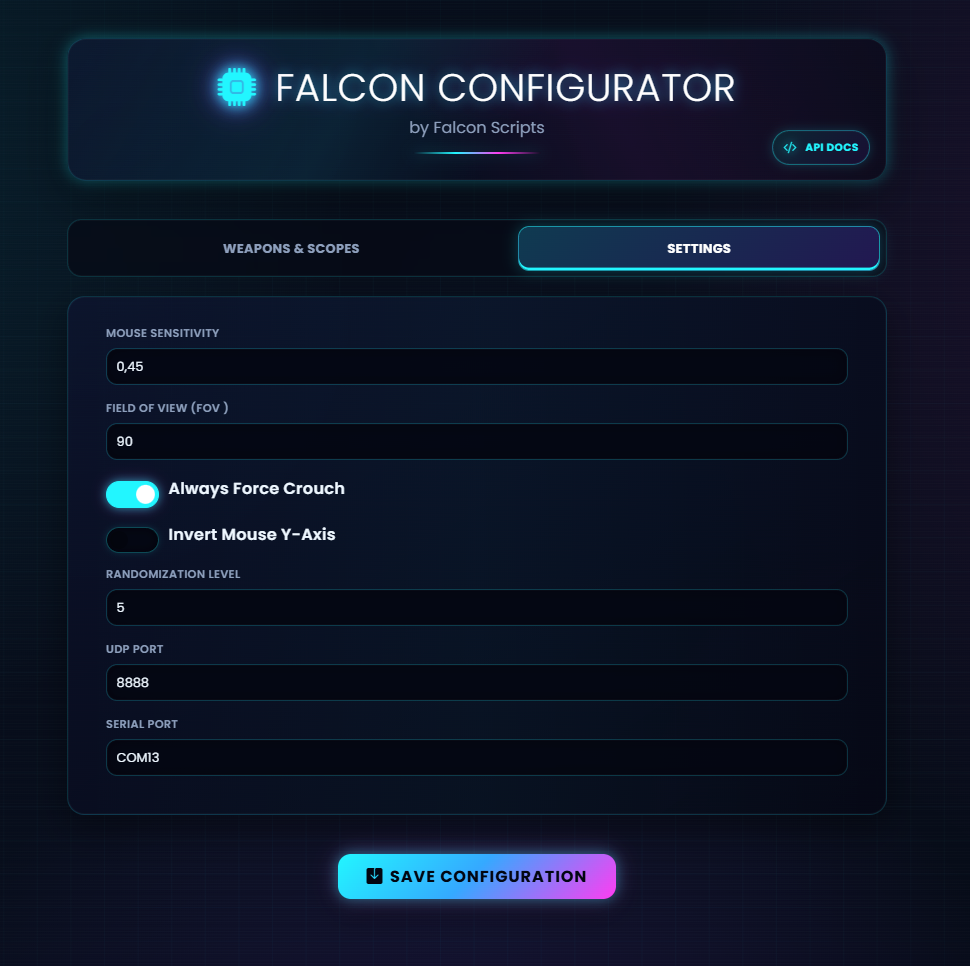
Configure your script through a browser-accessible panel, with no need to install extra software.
Cross-Platform Access
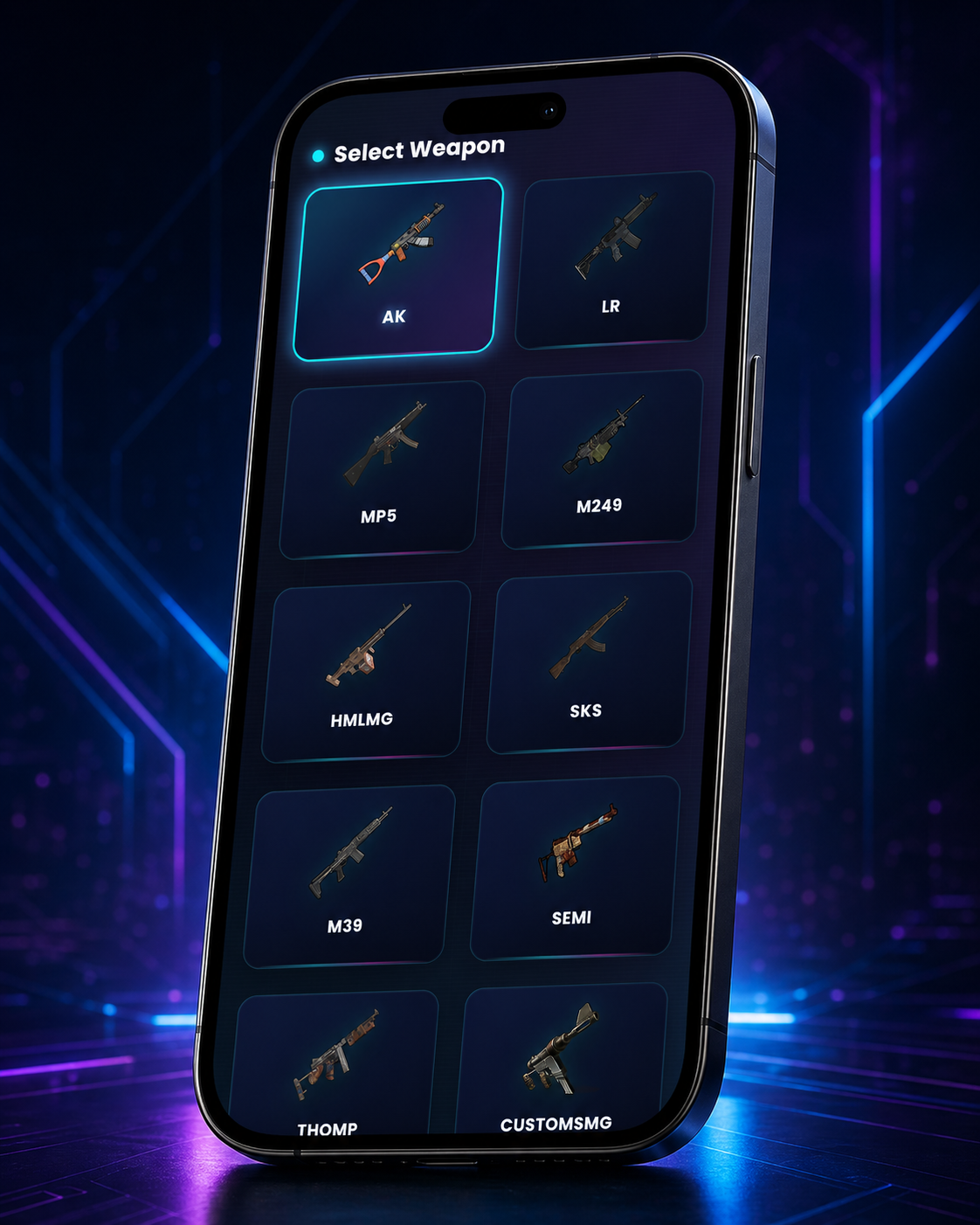
Access your settings from any device: phone, tablet, or computer. Fully responsive.
100% Legitimate
Script designed to be undetectable, keeping your account safe and preserving a legitimate experience.
Simple Universal Setup
Adjust all your weapons with a single anti-recoil configuration. Precision without complexity.
Security Without Dependencies
No program needs to keep running on the main computer, making use much safer. We prioritize maximum security, privacy, and user trust in every process.
Automatic Updates
Receive automatic updates to keep your script compatible with new game versions.
Maximum Privacy on the Main Computer
No program needs to be installed or executed on your main computer.
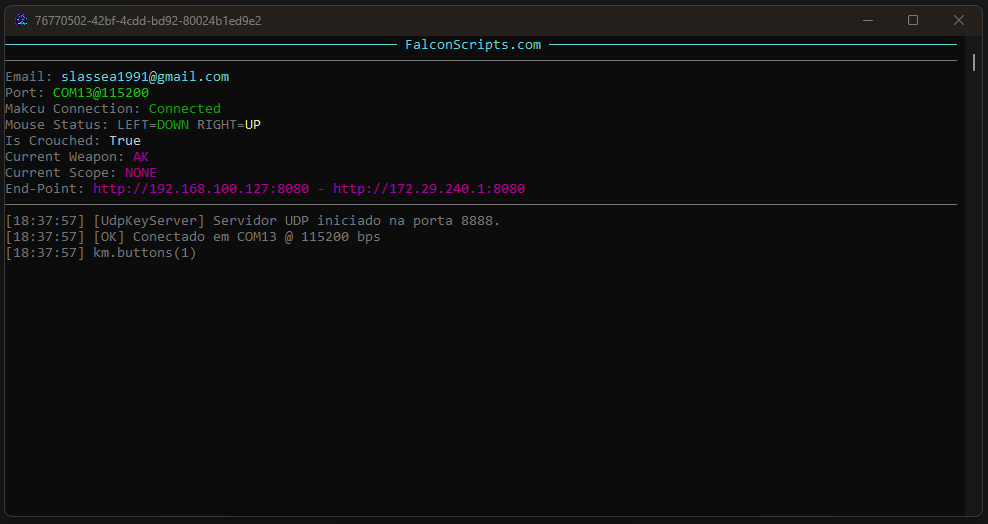
The system was designed to provide maximum security, control, and transparency. You use the panel normally through the browser, while auxiliary information, such as crouched or standing status, can be sent externally and fully controlled by you.
How does the system know if I am crouched?
To work in the safest way possible, Rust Makcu NoRecoil Script offers different usage modes. You can choose not to send any key status and let the system always consider the default state as crouched directly in panel settings.
This option is simple, practical, and does not require any additional program on the main computer. It is ideal for those who want the most direct configuration, with fewer components involved.
What if I want to detect standing and crouched?
If you want the system to automatically identify when you are standing or crouched, we provide a flexible and secure solution: the panel can receive CTRL key status through a local UDP server or via Web API requests.
This allows you to create your own small application to report only the required state, without installing unknown tools or running ready-made applications on your main computer.
You Control the Code
The reporting application can be created by you, in any programming language: C#, Python, Java, PHP, JavaScript, or any other that can send UDP or HTTP calls.
UDP or Web API Integration
The panel accepts crouched status through local UDP communication or API endpoints. This allows advanced users to integrate in the way they prefer.
Examples and Documentation
We provide documentation and examples to help you build your mini application. For security, we do not deliver a ready-made application: you compile your own code and know exactly what is running.
Why is this safer?
Because you do not need to trust a ready executable running on your main computer. You can use the default mode without detection, or create your own mini reporting app, review the code, compile locally, and run only something simple, transparent, and made by you. Even without advanced knowledge, modern AI can help create a functional implementation based on our documentation.
Revolutionary Control Panel
Configure from Anywhere
Our web panel revolutionizes the way you interact with your script. Forget complicated programs and limited interfaces — with Rust Makcu NoRecoil Script, you have full control through any browser.
Universal Access
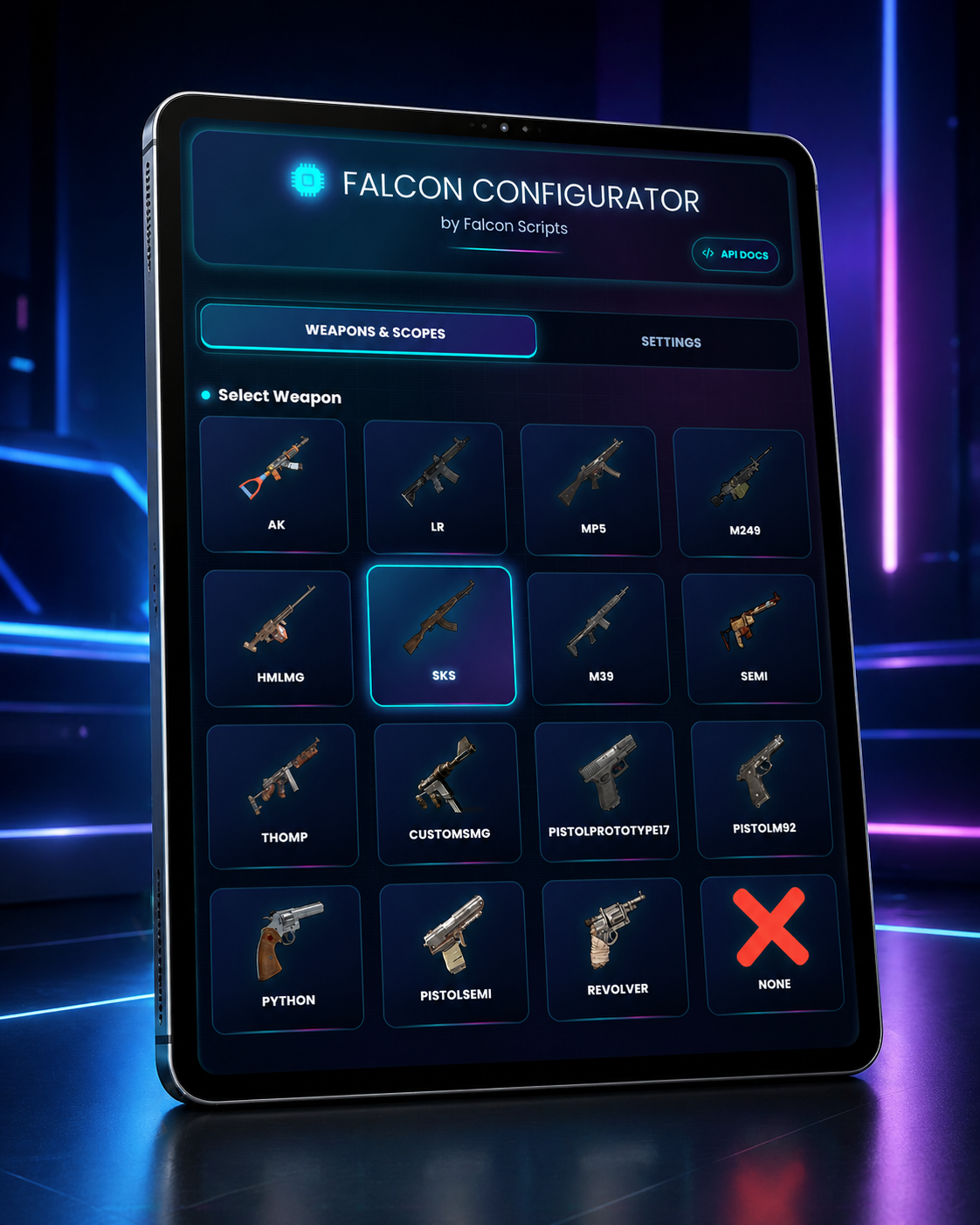
Configure and select your weapons in the simplest, fastest, and most adaptable way for your scenario. Access the panel from any device connected to your local network, whether by phone, tablet, or directly from your main computer browser.
Intuitive Interface
Panel designed with usability in mind, allowing precise adjustments with just a few clicks, even for beginners.
Unbreakable Security
No installation on your main computer. The application runs only on the secondary computer. Maximum protection and reliability.
Compatible with All Your Devices
Computer
Tablet
Phone
Try the Panel Before Buying
Explore a demo version of the panel and see how configuration works in practice.
The demo lets you know the interface, navigate key areas, and understand how the panel is organized before buying the product, without downloading files or setting up any environment.
Interactive Panel Demo
Access a panel preview to understand how options are organized, how navigation works, and how the configuration process was designed to be simple, fast, and intuitive.
Some actions may be disabled or simulated, since the demo aims to present the overall interface experience before purchase.
What you can test:
- View the panel interface
- Understand the configuration flow
- Check API documentation
The demo is a public preview of the interface. It does not represent an active license and may have simulated features for demonstration only.
Plans and Pricing
Basic
1-month access
- Universal anti-recoil setup
- Web panel access
- Discord support
- System updates
- Save 25.00%
- Priority support
Professional
3-month access
- Universal anti-recoil setup
- Web panel access
- Discord support
- All system updates
- Save 25.00% compared to the basic plan
- Early access to improvements
Premium
6-month access
- Universal anti-recoil setup
- Web panel access
- Discord support
- All system updates
- Save 37.50% compared to the basic plan
- Immediate access to all improvements