







What is MAKCU?
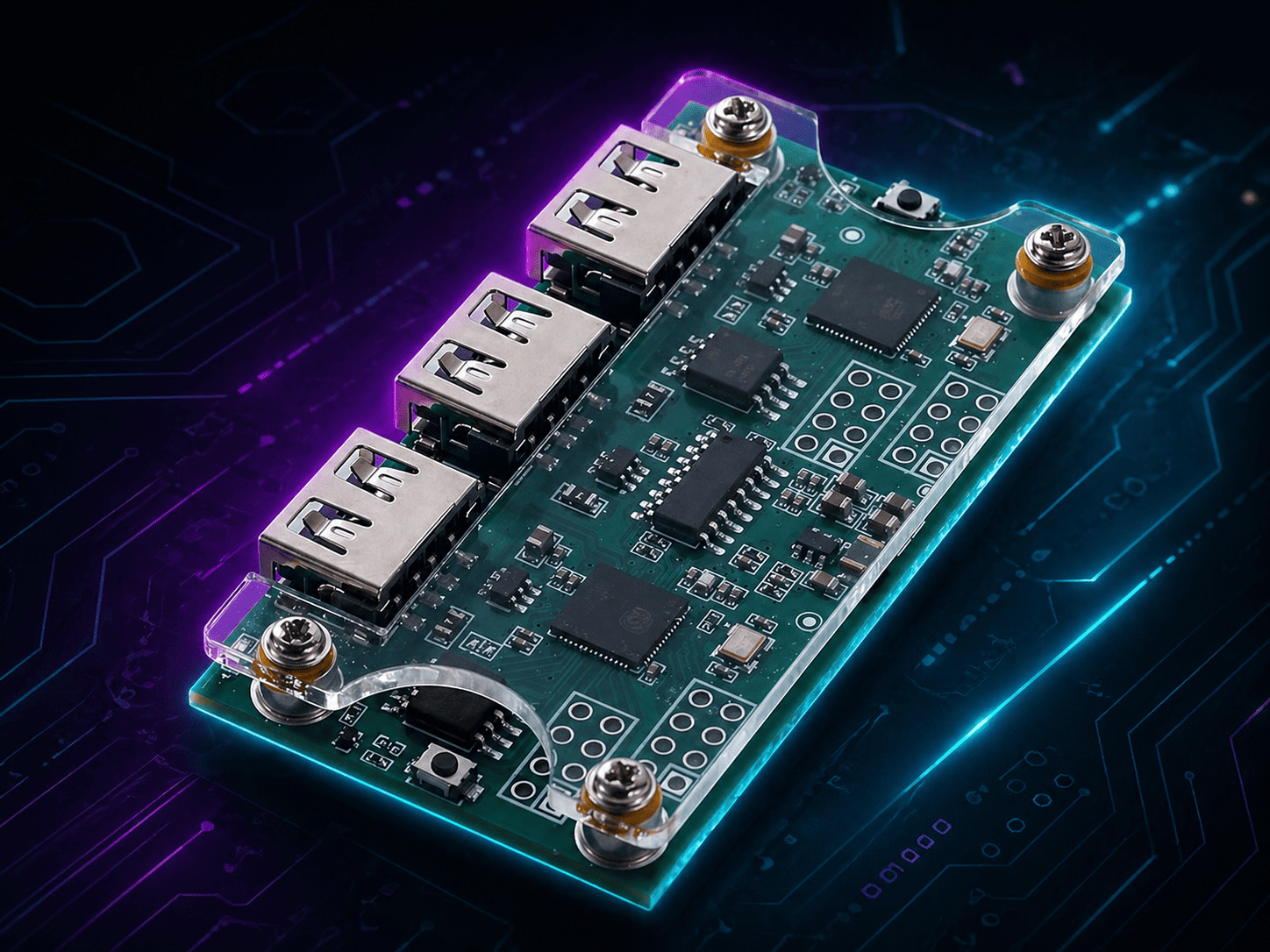
MAKCU is an advanced USB device that sits between your computer or console and your mouse or keyboard. It works as a bridge, allowing normal input passthrough while also enabling authorized software to control, customize, or automate input events.
Simple explanation
Normally, your mouse talks directly to your computer:
With MAKCU, the device sits in the middle:
This allows MAKCU to pass through real input and also receive controlled commands from software through a serial communication port.
USB passthrough device
MAKCU can receive input from a real mouse or keyboard and forward it to the host computer or console, keeping the normal device behavior while adding a programmable layer.
Software-controlled input
A connected application can send commands to move the mouse, press buttons, scroll, press keys, read input states, or apply specific behavior depending on the implementation.
Useful for integrations
MAKCU can be used in automation systems, accessibility tools, input testing, device customization, research environments, and custom software integrations.
MAKCU acts as a bridge between hardware and software
The core idea is simple: MAKCU receives physical input from a real USB device and exposes a controlled communication interface that software can use to interact with input behavior.
This means the device can operate as a passthrough adapter, but also as a programmable controller for advanced input scenarios.
Typical connection flow
Mouse / Keyboard
The real peripheral connected to MAKCU.
MAKCU
Receives, forwards, modifies, or injects HID input.
Host Device
The PC or compatible console receiving the final input.
In addition to the passthrough path, MAKCU also communicates with software through a serial interface, usually exposed as a COM port on the computer.
Understanding the USB ports
MAKCU usually has multiple USB connections because each port has a different purpose. Understanding these ports is essential for setup and troubleshooting.
| Port | Purpose | What connects here |
|---|---|---|
| USB 1 | Main host connection | Computer or compatible console |
| USB 2 | Serial communication | PC running the control/configuration software |
| USB 3 | Input device port | Mouse, keyboard, or compatible USB HID device |
What MAKCU can do
MAKCU provides a programmable layer for mouse and keyboard input.
Mouse control
- Move cursor
- Click buttons
- Release buttons
- Scroll wheel
- Read button states
- Block or allow input
Keyboard control
- Press keys
- Release keys
- Send text input
- Read key states
- Remap actions
- Create custom shortcuts
Device control
- Read device information
- Check firmware version
- Configure baud rate
- Restart device
- Control LEDs
- Update firmware
Streaming and monitoring
- Read mouse movement
- Read button input
- Monitor keyboard events
- Track input states
- Build real-time tools
- Integrate with custom apps
Common technical capabilities
What MAKCU is used for
MAKCU can be useful in several legitimate technical scenarios.
Automation and testing
Developers and testers can use MAKCU to simulate mouse and keyboard input in a controlled way. This can help test applications, user interfaces, workflows, repetitive actions, or hardware/software integration scenarios.
Accessibility tools
MAKCU can be used as part of custom accessibility solutions, such as remapping buttons, adapting inputs, creating assistive controls, or translating one type of input into another.
Custom input systems
Advanced users can build their own input systems, macros, configuration tools, control panels, or integrations that interact with mouse and keyboard behavior.
Device research and prototyping
MAKCU can help researchers, makers, and developers prototype USB HID behavior, study input flows, experiment with firmware, or create controlled input labs.
What MAKCU is not
MAKCU is sometimes misunderstood because it is a powerful input device. However, it is important to understand its real role and limitations.
What users usually need to get started
The exact setup depends on firmware, operating system, software, and hardware version. However, most users should understand these basic requirements before using MAKCU.
Key terms users should understand
These concepts make it easier to understand how MAKCU works.
HID
HID means Human Interface Device. Mice, keyboards, controllers, and similar devices are usually USB HID devices.
Passthrough
Passthrough means the device receives input from one side and forwards it to another side, usually without interrupting normal usage.
Serial port
A serial port is a communication channel used by software to send commands to MAKCU and receive information back.
Firmware
Firmware is the software installed inside the MAKCU device. It defines how the hardware behaves and what commands it supports.
Baud rate
Baud rate is the communication speed used by the serial connection. The software and the device must use compatible settings.
Input injection
Input injection means software sends an input action, such as a mouse movement or key press, through the device instead of a human physically performing it.
How MAKCU compares to normal input devices
A regular mouse or keyboard only sends physical input. MAKCU adds a programmable layer between the device and the host.
| Feature | Normal Mouse / Keyboard | MAKCU |
|---|---|---|
| Physical input | Yes | Yes, through passthrough |
| Software command control | Usually no | Yes |
| Input monitoring | Limited | Supported depending on firmware/software |
| Remapping | Depends on manufacturer software | Can be implemented through external software |
| Automation | Not built in | Possible through serial commands |
| Requires setup | Usually plug and play | Usually requires drivers, firmware, and software |
Important limitations
MAKCU is powerful, but it still has practical and technical limits.
Not fully standalone
It usually needs companion software to send commands and configure behavior.
Device compatibility varies
Some mice, keyboards, hubs, adapters, or special devices may not work perfectly.
Firmware matters
Features and stability depend on the installed firmware version.
Rules still apply
Automation may be restricted by some applications, games, services, or platforms.
A non-technical explanation
If you are not familiar with USB devices, firmware, or serial communication, this is the easiest way to understand MAKCU.
MAKCU is like a smart adapter for mouse and keyboard input.
You plug your mouse or keyboard into MAKCU, and MAKCU plugs into your computer. Your input can still work normally, but software can also communicate with MAKCU to control or customize what gets sent to the computer.
This makes it useful for advanced users who want to build tools, automate actions, test software, remap controls, or create custom accessibility and input solutions.
Frequently asked questions
Common questions from users who are learning what MAKCU is.
In short
MAKCU is a programmable USB passthrough device for mouse and keyboard input.
It sits between the user’s input device and the host computer or console. It can pass through normal input while also allowing software to send controlled mouse and keyboard commands through a serial interface.
It is best understood as an advanced input-control bridge for automation, accessibility, testing, prototyping, and custom integrations. It should always be used responsibly and only in environments where this type of input control is allowed.